One care journey.
Four useful perspectives.
For the person finding care, the partner receiving a request, the home welcoming a resident and the family supporting everyday life.
Find care
Search, compare and request an introduction.
See availabilityPartner workspace
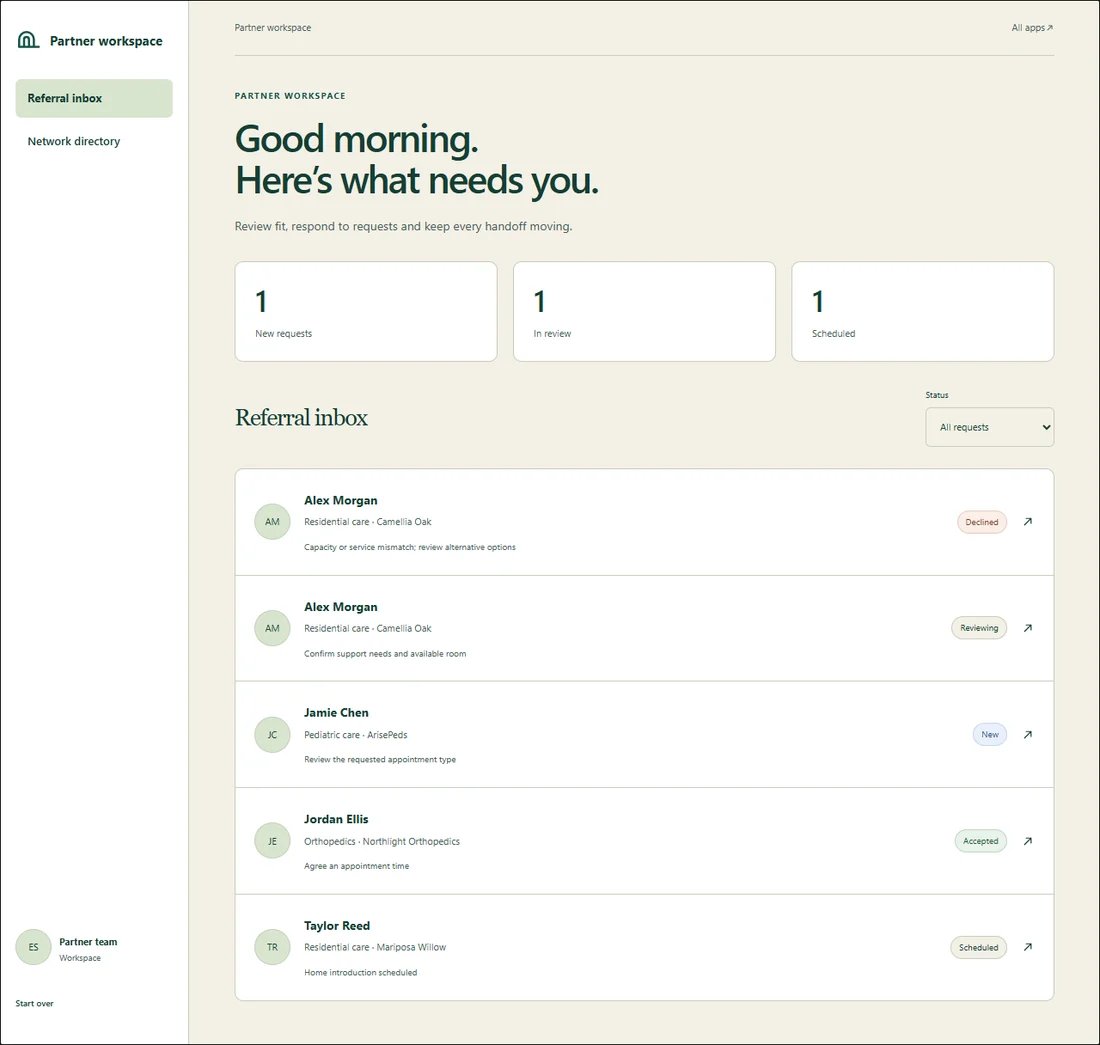
Review fit, respond and follow each handoff.
See availabilityHome operations
Keep capacity and the next admission step in view.
See availabilityFamily companion
Goals, check-ins, learning and daily progress.
Try companionMake a request.
Then switch seats.
Choose a destination
Compare a home or go directly to an independent specialist.
Request an introduction
The request reaches the provider’s inbox.
Review as the provider
Check service fit, capacity and permission. Accept, decline or schedule.
Follow the same outcome
The family sees the provider’s response; home capacity updates appear in the directory.
A little structure.
A more familiar day.
The companion preserves child, teen and parent modes behind an adult/guardian gate: goals, missions, check-ins, garden, badges, care plans, progress, learning, reminders and settings.
Try demoKnow what is available.
| Experience | Status | What this means |
|---|---|---|
| Four browser workflows | Interactive in the browser | Shared tab state; no clinical accounts, messages, real referrals or admissions. |
| Family companion | Working in the browser | Adult entry gate, modes and everyday routines. Reminder controls send no notifications. |
| Verified directory and editorial admin | Implemented; connection gated | Firebase schema and review permissions tested locally. No live database or admin access provisioned. |
| Production care-access platform | Planned | Live workflows, secure clinical intake, integrations and shared records require a separate approved build. |
| Waitlist and partner applications | Preview confirmation only | No information is sent or saved until the approved private submission service is connected. |